Modern Colors on Old Terminals
I recently found myself tinkering with an old 32-bit x86 system that I originally planned to e-waste. Not much runs on it, but I don’t need it to do a whole lot: just run a terminal and the occasional web browser.
What I settled on, in terms of something that was usable and snappy enough, was to run Debian 12 with WindowMaker on it. It doesn’t do much, but then again, I don’t need it to do much.
The default old-school terminal apps I eventually settled on, xterm and
rxvt-unicode, looked really dated with the default settings. I was ready for
nostalgia, but maybe not that ready.
I set about trying to have them look and feel more modern. After some research,
tinkering, and real usage, I arrived at something that I thought was worth
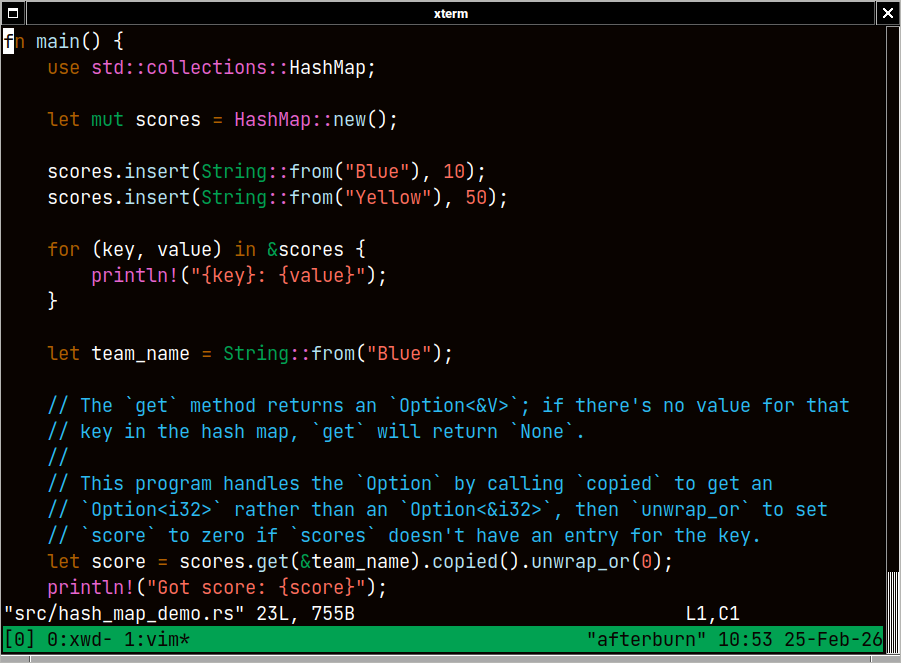
saving. Here are some screenshots and the .Xresources file.
These run with WindowMaker and no desktop environment overhead. Even running OpenCode is pretty pleasant, as long as I’m logged in to a more powerful remote machine.
Screenshots
Here’s xterm:
And here’s rxvt-unicode (urxvt):
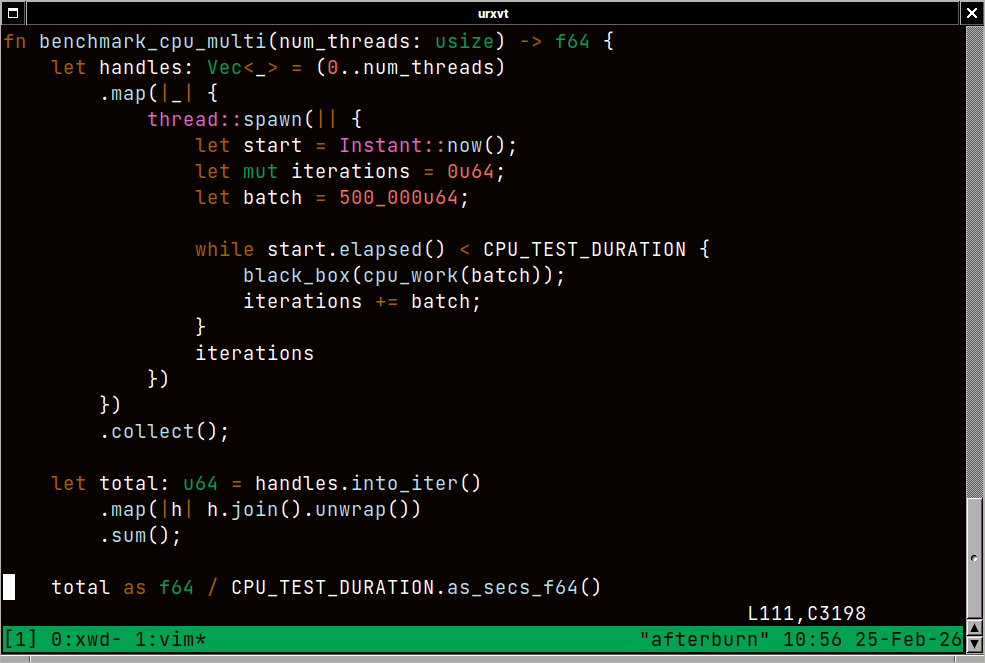
I’m a fan of those NeXT-style scrollbars on rxvt.
The Xresources File
Without further ado, here’s the .Xresources file:
URxvt.font: xft:JetBrains Mono:size=14:antialias=true
URxvt.foreground: #ffffff
URxvt.background: #090300
URxvt.cursorColor: #ffffff
URxvt.pointerColor: #1a1a1a
URxvt.scrollBar: true
URxvt.scrollBar_right: true
URxvt.saveLines: 10000
URxvt.scrollstyle: next

XTerm*faceName: JetBrains Mono
XTerm*faceSize: 14
XTerm*foreground: #ffffff
XTerm*background: #090300
XTerm*cursorColor: #ffffff
XTerm*pointerColor: #1a1a1a
XTerm*scrollBar: true
XTerm*rightScrollBar: true
XTerm*saveLines: 10000


! black
URxvt.color0:  #090300
URxvt.color8:  #5c5855
XTerm*color0:  #090300
XTerm*color8:  #5c5855

! red
URxvt.color1:  #ff6e5e
URxvt.color9:  #ff6e5e
XTerm*color1:  #ff6e5e
XTerm*color9:  #ff6e5e

! green
URxvt.color2:  #01a252
URxvt.color10: #01a252
XTerm*color2:  #01a252
XTerm*color10: #01a252

! yellow
URxvt.color3:  #ffc805
URxvt.color11: #ffc805
XTerm*color3:  #ffc805
XTerm*color11: #ffc805

! blue
URxvt.color4:  #2cbbf4
URxvt.color12: #2cbbf4
XTerm*color4:  #2cbbf4
XTerm*color12: #2cbbf4

! magenta
URxvt.color5:  #e965cf
URxvt.color13: #e965cf
XTerm*color5:  #e965cf
XTerm*color13: #e965cf

! cyan
URxvt.color6:  #b5e4f4
URxvt.color14: #b5e4f4
XTerm*color6:  #b5e4f4
XTerm*color14: #b5e4f4

! white
URxvt.color7:  #a5a2a2
URxvt.color15: #f7f7f7
XTerm*color7:  #a5a2a2
XTerm*color15: #f7f7f7
The asterisks are there for the XTerm entries because apparently
rxvt-unicode doesn’t heavily utilize nested components, while xterm does.
Helpful Links
Here are some sites I encountered along the way that kept my motivation up and might inspire future improvements: